A home energy management system (HEMS) helps homeowners monitor electricity consumption, understand solar energy usage, and make better-informed energy decisions. To provide useful information, the system needs access to reliable electricity meter data. A compatible P1 meter reader can help retrieve this information and make it available to supported monitoring applications or energy management platforms.
However, successful integration involves more than connecting a reader to a smart meter. The meter interface, communication protocol, data format, network connection, and HEMS software must work together.
This guide explains how to integrate a P1 meter reader with a home energy management system, what information may be available, and which compatibility issues to check before deployment.
How Does a P1 Meter Reader Work With a HEMS?
A P1 meter reader connects to a compatible smart electricity meter through its P1 interface and retrieves the data made available by the meter. Depending on the reader and system configuration, this information can be transferred to another application or energy management platform.
A typical integration involves three main components:
Smart electricity meter: Measures electrical parameters and provides readings through a supported interface.
P1 meter reader: Retrieves the available meter data and communicates it through its supported connection method.
Home energy management system: Processes and displays the received information, subject to the platform's capabilities.
For example, a homeowner may want to monitor electricity imported from the grid, electricity exported by a solar PV system, or changes in household power consumption.
The availability of these measurements depends on the smart meter, the reader, and the data exposed through the interface. Not every meter provides the same information.
A compatible p1 meter reader can therefore serve as a data access component within a broader home energy monitoring architecture.

What Information Can a P1 Port Smart Meter Provide?
Before designing an integration, identify which measurements are available from the electricity meter.
A compatible p1 port smart meter may provide information such as cumulative energy consumption, electricity import and export readings, instantaneous power, voltage, or current. The exact data fields depend on the meter model, its configuration, and the supported communication protocol.
Electricity Import and Export
For homes with solar panels, import and export readings can help users understand how electricity moves between the property and the grid.
Import data indicates electricity drawn from the grid, while export data indicates electricity delivered to the grid, where the meter supports these measurements.
These values can help a HEMS evaluate household energy patterns and solar self-consumption. However, the P1 meter reader does not necessarily measure solar generation directly; that information may need to come from the inverter or another compatible device.
Instantaneous Power and Historical Readings
Some meters provide instantaneous power values alongside cumulative energy readings. A HEMS may use these measurements to display current consumption or analyze changes over time.
Historical analysis depends on whether the reader or HEMS stores data. A meter's cumulative readings alone do not automatically provide a complete historical record of household power consumption.
How to Connect a P1 Meter Reader to a HEMS
The integration process depends on the reader model and the target platform, but several checks are generally important.
Step 1: Confirm Meter Compatibility
Identify the smart meter manufacturer and model. Verify that its P1 port, electrical requirements, and communication protocol are supported by the reader.
Do not assume that every meter with a similarly shaped connector uses an identical data format.
Step 2: Establish the Data Connection
Connect the reader according to the manufacturer's instructions. Depending on the device, it may use Wi-Fi or another supported communication method to transmit collected information.
Confirm that the reader receives data successfully before proceeding to software integration.
Step 3: Configure the HEMS Integration
Determine how the HEMS accepts external meter data. Possible methods include a supported local API, a documented network interface, or a platform-specific integration.
The reader and HEMS must agree on the data format, connection method, and authentication requirements. If custom development is necessary, consult the relevant technical documentation.
Step 4: Verify the Measurements
Compare the readings received by the HEMS with the meter's available values. Check the units, import and export direction, update intervals, and behavior when the connection is interrupted.
This validation helps identify configuration errors before the data is used for automation or energy analysis.
Local API Integration and Data Access Requirements
A local API can provide a way for compatible software to retrieve data from a device over a local network. This may be useful for homeowners and integrators who want to incorporate meter readings into a HEMS without relying entirely on a cloud-based workflow.
However, API availability and functionality depend on the specific reader model and firmware.
Before implementing an integration, confirm:
Which data fields the API exposes.
Whether access is read-only or supports additional operations.
How the device is discovered and addressed on the network.
Whether authentication or access permissions are required.
How frequently data can be retrieved.
What happens when the network connection is interrupted.
For security, use documented interfaces, protect credentials, and restrict access to trusted devices and networks.
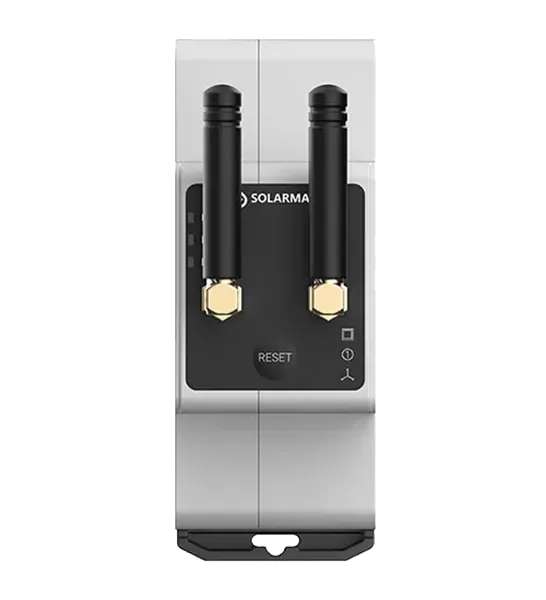
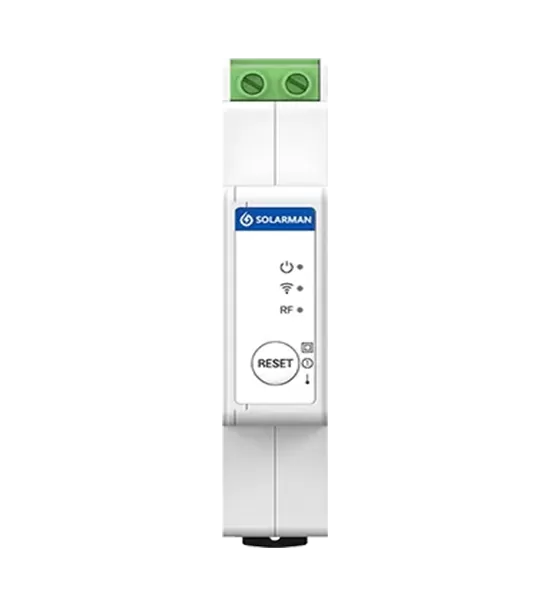
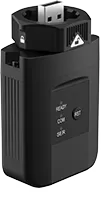
SOLARMAN's P1 Meter Reader is a relevant product to evaluate for projects requiring P1 meter data and local integration. Confirm the current product documentation for supported API functions, compatible meters, and integration requirements before implementation.
Common Integration Challenges and How to Solve Them
Even when the hardware is connected correctly, data may not appear as expected in the HEMS.
No data received: Check meter compatibility, port activation requirements, reader power, and the physical connection.
Incorrect import or export values: Verify the meter's data definitions, measurement units, and the HEMS mapping of each field.
Delayed updates: Check the reader's reporting behavior, the meter's update interval, and the HEMS polling or refresh settings.
Network connection failures: Verify Wi-Fi coverage, network configuration, device addressing, and any firewall restrictions.
Missing historical data: Confirm whether the reader or HEMS stores historical readings. If neither does, historical data may not be available retrospectively.
For reliable integration, test each data field individually and document the final configuration.
What Should You Check Before Choosing a P1 Power Meter Reader?
When evaluating a p1 power meter or reader solution, focus on compatibility and the actual requirements of the energy management project.
Check the supported smart meter models, available measurements, communication interfaces, local API documentation, network requirements, and software integration options.
If the HEMS also manages solar inverters, batteries, or controllable loads, confirm that the complete system can access the necessary information and supports the intended control functions.
A P1 reader can provide valuable meter data, but it does not automatically enable every energy management feature. Advanced functions depend on the connected equipment, software, and system design.
Conclusion
Integrating a P1 meter reader with a home energy management system requires compatible hardware, a supported data interface, appropriate software integration, and careful verification of the resulting measurements.
Start by confirming the smart meter model and available data, then establish the reader connection and configure the HEMS using documented integration methods. Finally, validate import, export, and power readings before using the data for energy analysis or automation.
A well-planned integration can help homeowners and system integrators build a clearer picture of electricity consumption and solar energy flows while providing a foundation for more informed energy management.
FAQs
1. What is a P1 meter reader used for?
A P1 meter reader retrieves available data from a compatible smart electricity meter and makes it accessible to supported monitoring applications or energy management systems.
2. Can a P1 meter reader work with any home energy management system?
No. The reader and HEMS must support compatible communication methods, data formats, and integration interfaces. Some projects may require additional software development.
3. Can a P1 meter reader monitor solar energy export?
It can provide export readings if the smart meter exposes those measurements and the reader retrieves them. Direct solar generation data may require an additional connection to the inverter.
4. Does a local API require an internet connection?
A local API may operate over a local network without continuous internet access, depending on the device and implementation. Remote access and cloud-based services may require an internet connection.
5. What should I check before buying a P1 meter reader?
Verify the smart meter model, P1 interface, supported data fields, network connectivity, API availability, and compatibility with your intended HEMS.

 EN
 fr
 de
 es
 it
 nl
 pt
 cs
 pl