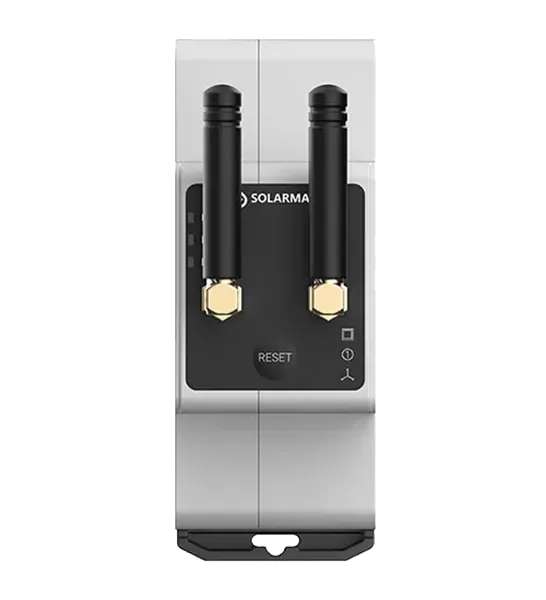
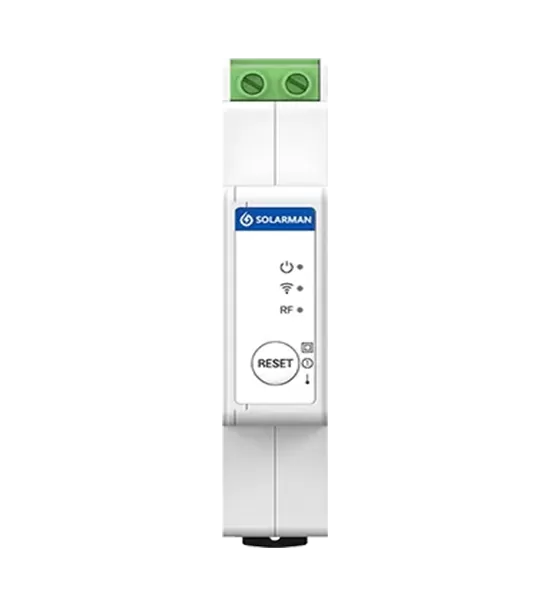
A smart meter reader helps homeowners and energy professionals access electricity consumption data from a compatible smart meter. When the device stops reporting readings, fails to connect to Wi-Fi, or displays unexpected values, identifying the underlying cause is essential for restoring reliable energy monitoring.
These problems may result from an incompatible meter interface, an unstable network connection, insufficient power, incorrect configuration, or limitations in the data provided by the electricity meter itself.
This guide explains how to troubleshoot common smart meter reader problems, identify possible causes, and determine when technical support may be required.
Why Is a Smart Meter Reader Not Sending Data?
When a meter reader stops transmitting information, begin by checking whether the problem originates from the electricity meter, the reader, the network, or the monitoring application.
Check the Meter Interface and Connection
First, confirm that the reader is connected to a compatible electricity meter and the correct interface.
For example, a P1 reader requires a compatible P1 port, while an infrared reader requires a supported optical interface. A connector that physically fits does not necessarily guarantee protocol compatibility.
Check the following:
The electricity meter model is supported by the reader.
The reader is connected to the correct port.
The cable and connector show no visible damage.
Any required port activation or configuration has been completed.
The reader's status indicators correspond to normal operation according to the product manual.
If the device cannot retrieve data directly from the meter, troubleshooting the Wi-Fi connection alone will not resolve the problem.
Check the Reader's Status
Review the device indicators and application messages to determine whether the reader is powered on and receiving meter data.
If the reader indicates that the meter connection is working but the monitoring application shows no readings, the issue may involve network transmission, software configuration, or the receiving platform.
If the reader cannot obtain meter data at all, focus first on the physical connection, supported interface, and meter compatibility.
How to Troubleshoot Wi-Fi Pairing Problems
A WiFi meter reader may rely on a wireless network to send readings to an application or monitoring platform. If pairing fails, several factors should be checked before repeating the setup process.
Verify Network Compatibility
Check the reader's supported Wi-Fi standards and frequency bands. Some devices support only specific network configurations, so compatibility should be confirmed in the product documentation.
Also verify the Wi-Fi password and network name. Incorrect credentials or changes to the router configuration may prevent the reader from connecting.
If the router combines multiple wireless bands under one network name, consult the device instructions to determine whether a particular setup method is required.
Check Signal Strength
The reader may be installed near an electrical distribution board, inside a cabinet, or behind walls that weaken wireless signals.
If the signal is poor, consider improving router placement or using a suitable network extension method supported by the installation. Do not relocate or modify electrical equipment in ways that compromise safety.
Confirm Network Access
Some network configurations restrict new devices or block communication through firewall rules. Guest networks, access controls, and network isolation may also affect connectivity.
Check whether the reader appears in the router's connected-device list, where this information is available. If it connects to Wi-Fi but cannot communicate with the monitoring platform, investigate internet access and the platform's service status as well.
Power Supply, Cable, and Connection Checks
A meter reader may fail to operate correctly if its power requirements are not met or its connection is unstable.
Check the Power Source
Follow the manufacturer's instructions to verify that the device receives the required power. Some readers draw power from a supported meter interface, while others may require a separate power source.
Do not assume that all P1 or infrared readers use the same power arrangement. Never apply an external voltage unless the product documentation explicitly permits it.
If the device repeatedly restarts or its status indicators behave unexpectedly, check the specified power requirements and contact the supplier if the problem persists.
Inspect Cables and Connectors
Inspect accessible cables for visible damage, loose connections, or signs of wear. Reconnect components only according to the manufacturer's instructions and only where it is safe to do so.
Do not open sealed electricity meters, remove protective covers, or work on exposed electrical conductors unless authorized and qualified to do so.
Distinguish Hardware Problems From Configuration Issues
If the reader receives power but does not retrieve data, the cause may be an unsupported meter, an incorrect configuration, or a communication fault.
Record the meter model, reader model, indicator status, and any error messages before contacting technical support. These details can help narrow down the problem more efficiently.
Missing or Incorrect Meter Data: How to Identify the Cause
Sometimes a reader connects successfully but reports incomplete, delayed, or unexpected measurements.
Check Data Update Intervals
Smart meters and readers do not necessarily provide instantaneous updates for every measurement. The available data and refresh frequency depend on the meter interface, reader design, and monitoring software.
A delay does not automatically indicate a hardware fault. Compare the expected reporting interval with the product documentation before troubleshooting further.
Verify Measurement Units and Data Mapping
If readings appear unusually high, low, or inconsistent, check the measurement units and the way the receiving application interprets the data.
For example, power and cumulative energy are different measurements. Power is typically expressed in watts or kilowatts, while energy is expressed in watt-hours or kilowatt-hours.
Incorrect field mapping or unit conversion can make valid data appear incorrect.
Check Import and Export Direction
For properties with solar panels, electricity import and export readings may be particularly important.
If the monitoring platform appears to reverse these values, check the meter's data definitions and the application's interpretation of the readings. Do not assume that a discrepancy means the reader itself is defective.
How to Troubleshoot Different Meter Reader Types
The troubleshooting process depends on the reader's interface and intended application.
A WiFi electric meter reader should be checked for both successful meter communication and stable network transmission. If the device can retrieve readings locally but cannot send them to the application, focus on Wi-Fi configuration and the data transmission path.
For P1 readers, verify the supported P1 interface, connector arrangement, and meter protocol.
For infrared readers, confirm that the optical interface is compatible and that the reader is positioned according to the manufacturer's instructions. Optical communication can be affected by misalignment, unsuitable mounting, or an unsupported meter interface.
For either type, consult the relevant manual rather than applying troubleshooting steps designed for a different model.
When Should You Contact Technical Support?
Contact the supplier or manufacturer if the reader remains offline after the documented checks, repeatedly loses its connection, or cannot retrieve data from a confirmed compatible meter.
Before submitting a support request, prepare:
The electricity meter manufacturer and model.
The meter reader model and firmware version, if available.
The interface being used, such as P1 or infrared.
The Wi-Fi or network status.
Device indicator behavior and error messages.
The troubleshooting steps already completed.
This information helps technical support distinguish compatibility problems, hardware faults, configuration errors, and network issues.
Conclusion
Troubleshooting a smart meter reader starts with identifying where communication is failing: between the meter and reader, between the reader and network, or between the network and monitoring application.
Checking compatibility, power supply, cables, Wi-Fi configuration, and data interpretation can resolve many common issues. If the problem persists, providing the device model and diagnostic information to technical support can speed up the investigation.
Following model-specific instructions and avoiding unauthorized electrical work helps maintain a safe and reliable energy monitoring installation.
FAQs
1. Why is my smart meter reader offline?
Possible causes include an incompatible meter interface, insufficient power, a loose connection, Wi-Fi problems, or a communication issue with the monitoring platform. Identify which connection has failed before changing settings.
2. How do I reconnect a Wi-Fi meter reader?
Follow the device's setup instructions, verify the supported network configuration, check the Wi-Fi password, and confirm that the reader can connect to the router. The exact pairing process varies by model.
3. Why does my meter reader connect to Wi-Fi but show no data?
The reader may be unable to communicate with the electricity meter, or the monitoring platform may not be receiving or interpreting the data correctly. Check meter compatibility and local connection status first.
4. Why are my electricity readings incorrect?
Potential causes include delayed updates, incorrect measurement units, data mapping errors, or an unsupported meter configuration. Compare the reported values with the meter's available readings and technical documentation.
5. Can I use any Wi-Fi meter reader with my electricity meter?
No. The reader must support the meter's interface and communication protocol. Verify compatibility with the exact meter model before purchasing.

 EN
 fr
 de
 es
 it
 nl
 pt
 cs
 pl